
NEST 2026 application form has been released by the exam authorities on January 5, 2026, from 12:00 PM onwards. The NEST 2026 registration link is also activated by the officials, and aspirants will be able to fill out the application form by creating a registered account on the official website, i.e., nestexam.in.
Before applying, candidates are advised to carefully check the NEST 2026 eligibility criteria to avoid the risk of cancellation of candidature at any stage of the admission process. Candidates will be given approximately four months to complete the application process, and the last date to submit the NEST 2026 registration form will be April 8, 2026 (Extended from April 6 to April 8).
The NEST 2026 exam is scheduled to be conducted on June 6, 2026, at 140 exam centres across the country in online (CBT) mode, in a single shift from 2:00 PM to 5:00 PM. Candidates who have registered and made any mistakes while filling out the application form will be allowed to make corrections. The NEST 2026 application correction window will open on April 13, 2026, and the last date to make corrections will be April 14, 2026, till 10:00 AM.
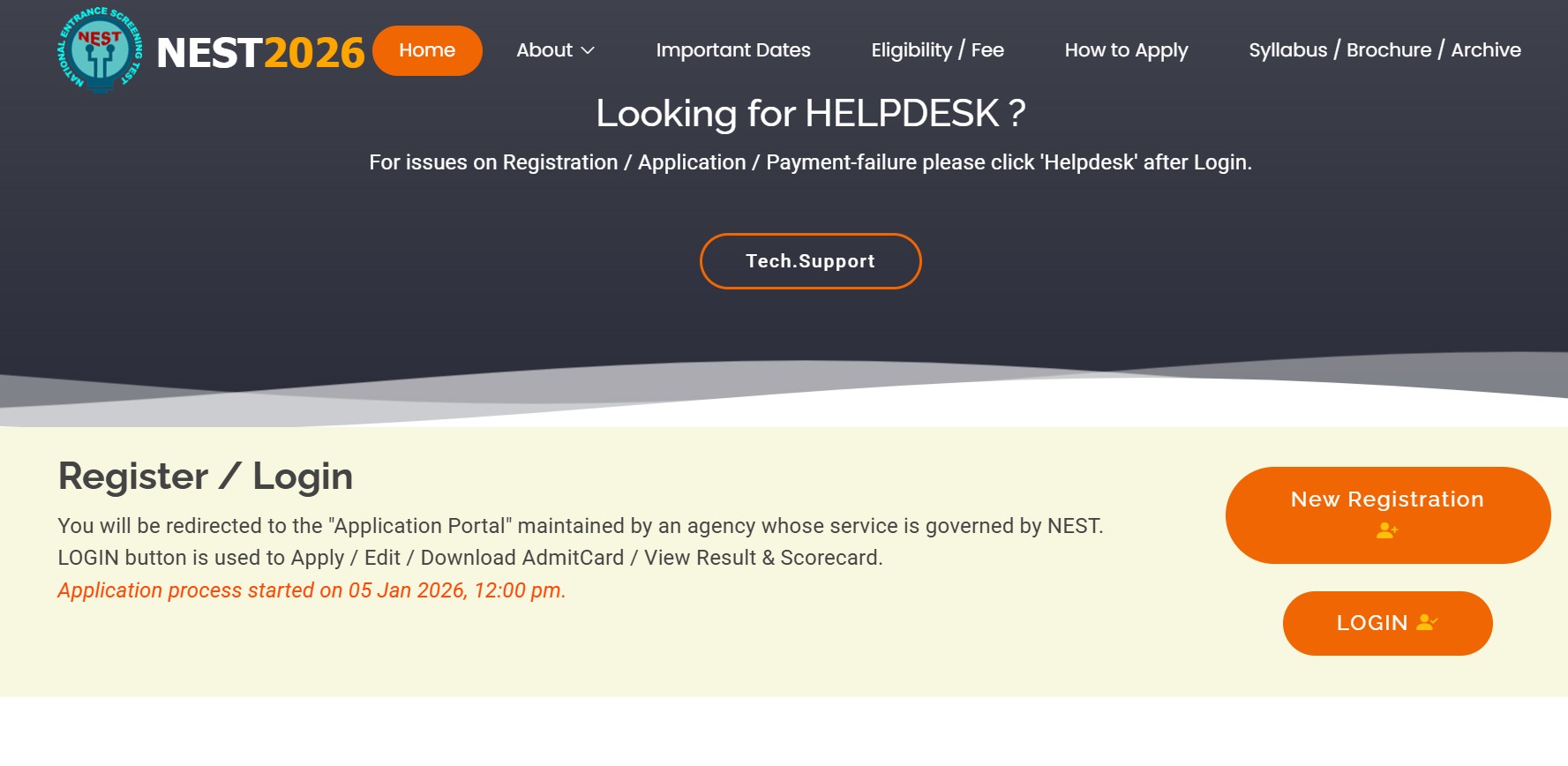 The NEST 2026 registration process is quite detailed and extensive. Therefore, it is important for candidates to be well-informed in advance about the application process, required documents, photograph and signature dimensions, and registration fee details to ensure a hassle-free application experience.
Read this SciAstra blog for complete insights on how to fill the NEST 2026 application form.
Latest Updates:
NEST Registration Dates 2026
Candidates seeking admission to the 5-year Integrated MSc courses at NISER Bhubaneswar and UM-DAE CEBS, Mumbai, must know all the important NEST 2026 exam dates. Check out the important NEST 2026 Registration dates from here:
NEST 2026 Registration Dates | |
Events | Dates |
NEST 2026 Notification | Released |
NEST 2026 Registration Starts | January 5, 2026 (Started) |
NEST 2026 Last Date for Registration |
April 8, 2026 |
NEST 2026 Last Date to Submit Fee |
April 8, 2026 |
NEST 2026 Application Correction Window | April 17, 2026 (AM) to April 18 2026 (AM) |
NEST 2026 Mock Test Opens | To be announced |
NEST 2026 Admit Card | May 15, 2026 |
NEST 2026 Exam | June 6, 2026 |
NEST 2026 Provisional Answer Key | Third Week of June 2026 |
NEST 2026 Provisional Answer Objection Window | Third week of June 2026 |
NEST 2026 Final Answer Key | First Week of July 2026 |
NEST 2026 Result | Second Week of July 2026 |
NEST UG 2026 Counselling Begins | Third Week of July 2026 |
Also Read: NEST 2026 Selection Process
What is NEST 2026 Exam Date?
Earlier, NISER and UM-DAE CEBS have released the NEST 2026 exam date in the notification. The exam will be held on June 6, 2026, at 140 exam centres across the nation. The exam will test the candidate's domain knowledge for the courses in Mathematics, Biology, Chemistry, and Physics in the form of Multiple Choice Questions (MCQs).
What is the last date to fill NEST 2026 application form?
The last date to fill out the NEST Registration Form 2026 will be April 6, 2026. If the exam officials encounter the less registrations, they might increase the NEST 2026 application deadline. As per the previous year trends, the application form deadline is extended for 2-3 days. Interested applicants are advised to fill out the form well in advance to have a hassle-free admission process.
Also Read: NEST 2026 Exam Pattern
List of Documents Required for NEST 2026 Registration
For filling out the application form, applicants need to have the documents required for the NEST 2026 application form handy to ease the process. Here is the list of documents which are required by the candidates:
Class 10 marksheet
Class 12 Marksheet
Candidate's photograph and signature in the required format.
Category Certificate - OBC-NCL, EWS, SC/ST categories.
Physical Disability Certificate (if applicable) or Unique Disability Identification (UDID) certificate.
Photo Identity Document (ID): Candidates need to upload/ require details of any one of the following:
Aadhaar ID
Driving License
PAN Card
Passport
Voter ID
Net-banking/ debit card/credit card details for fee payment
NEST 2026 Registration form: Document Size and Dimensions
Based on the document requirements, here is a table of the specifications for the photograph, signature, and caste certificate.
Document | File Size | Format |
Photograph | 1 KB to 80 KB | JPEG/JPG |
Signature | 1 KB to 80 KB | JPEG/JPG |



How to Fill NEST Application Form 2026
Filling out the NEST 2026 application form is one of the most important steps for those appearing for the NEST 2026 exam to get admission for five-year Integrated BSc–MSc programmes offered by NISER and UM-DAE CEBS.
In order to avoid errors that an aspirant can make, which will finally lead to rejection or disqualification. Here, the applicants must clearly understand the complete registration process well in advance.
NEST 2026 application process includes online registration, filling in personal and academic details, uploading required documents in the prescribed format, and paying the application fee. This SciAstra blog will provide the step-by-step instructions to help candidates complete the NEST 2026 application form without any hassle.
Step 1: Visit the Official Website
At first, candidates are required to visit the official website of NEST 2026 and check for the registration tab, which will be mentioned in the form of the Navigation Bar. The official website will be required for all the information that one has to check or do right from filling the NEST application form 2026, downloading of admit card, answer key, result, scorecard, cutoff and other details.
Official Website Link: https://cdn3.digialm.com/EForms/configuredHtml/1834/97119/Registration.html
Recommended Browser to fill NEST 2026 Application Form-
Mozilla(94 to 113), Google chrome(88 to 113), Microsoft Edge(88 to 113) to fill in the Application Form. The Application Form is compatible with Android (version 4.0 and above) and iOS (version 9 and above)
Step 2: Creation of a Registered Account
Candidates have to first register on the NEST Online Application Processing System by providing their name, a valid e-mail address, an active mobile number, and setting a password. After successful registration, the candidate’s Enrollment ID and OTP will be sent to the e-mail address and mobile number provided by the candidate.
The candidate needs to use this Enrollment ID along with the password for submitting the application.
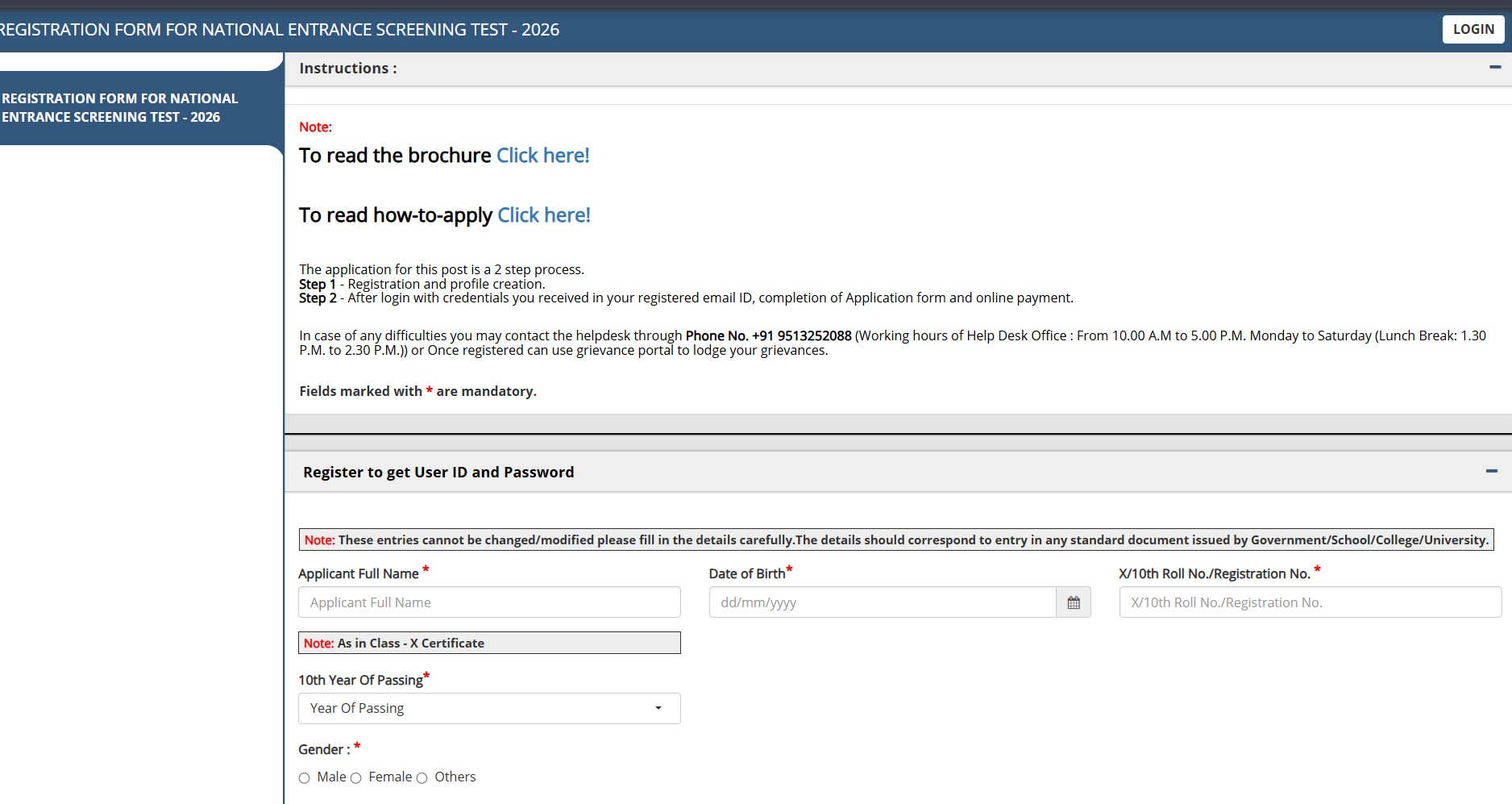
Step 3: Log in to the Registered Candidate’s Portal
Now, candidates will be required to log in to their registered account using the User ID and Password. It is highly advised to read all the instructions before proceeding to fill out the application form carefully.
Step 4: Fill Personal Details
Enter your personal information accurately, which is asked by the exam officials:
Father’s and Mother’s names
Gender and nationality
Category (General/OBC-NCL/SC/ST/PwD)
Aadhaar number or other valid ID proof
Ensure that all details match your official documents.
Step 5: Enter Academic Details
Provide your academic qualifications, such as:
Class 10 and Class 12 board details
Year of passing or appearing
Subjects studied
Marks obtained or expected
Candidates appearing for the Class 12 examination must select the “Appearing” option where applicable.
Step 6: Upload Required Documents
Upload scanned copies of the following documents in the prescribed format and size:
Recent passport-size photograph
Candidate’s signature
Category certificate (if applicable)
Make sure the images are clear, readable, and meet the specified dimensions to avoid rejection.
Step 7: Select Exam City Preferences
Choose your preferred NEST 2026 exam centre cities from the available list. Candidates are usually allowed to select multiple preferences. Exam centres are allotted based on availability.
Also Read: NEST 2026 Syllabus
Step 8: Pay the Application Fee
Proceed to pay the NEST 2026 application fee using online payment modes such as:
Debit card
Credit card
Net banking
UPI
After successful payment, a confirmation message will be displayed on the screen.
Step 9: Review and Submit the Application Form
Before final submission, carefully review all entered details. Make corrections if required. Once satisfied, submit the application form. Note that changes may not be allowed after final submission except during the correction window.
Step 10: Download and Print Confirmation Page
After submission, download the NEST 2026 application confirmation page and take a printout for future reference. Keep a copy of the payment receipt and application form until the admission process is complete.
Following these steps carefully will help candidates complete the NEST 2026 application process smoothly and without errors. If you want, I can also add a documents checklist, image specifications table, or fee details section to complement this guide.
NEST 2026 Registration Fee
Candidates can check out the NEST 2026 Application Fee from below:
Category | Registration Fees (₹) |
GEN/OBC | 1,400 |
Female/SC/ST/PwD | 700 |
Also Read: NEST Registration Fees 2026
Candidates can check out the complete details on the NEST 2026 Application form from here:
NEST Exam 2026 Test Series Launched
The SciaAstra team has recently launched a FOCUS test series, which will emphasise Full Online Controlled Understanding and Simulation, helping candidates experience the real-time environment of the NEST 2026.
The NEST 2026 FOCUS mock test is designed based on the official exam pattern, and the difficulty level is determined through an in-depth analysis of previous years’ question papers. Candidates will get Unit-wise, Half-length, and Full-length test series, covering all chapters to assess their domain understanding, cognitive skills, and analytical abilities as per the NEST 2026 syllabus.
Attempt the NEST Exam 2026 Test Series to check your exam preparation level to get admissions to the participating institutes here:

Buy Now
Also Read: Documents Required to Fill NEST 2026 Application Form